We can help, but you should send a link to the game to better explain it.
There are several ways to go about this:
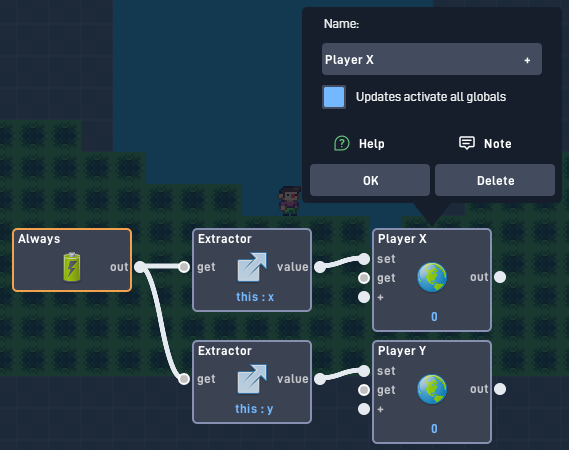
- Create a camera object for each level (Easiest). Set the camera settings to where in the level you want the camera to automatically go in the level. On these camera objects, uncheck “movable” and uncheck “is solid”. And finally make it follow the player by using globals (check “Updates activate all globals”).
Player Object Code
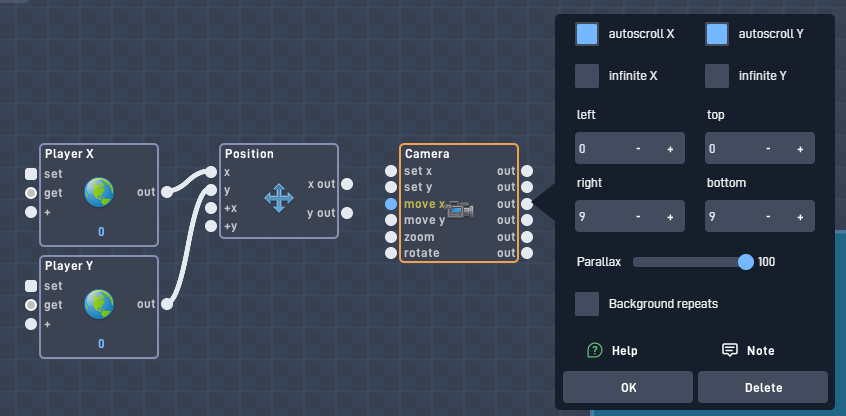
- Programming a single camera in the player object (Harder). You tell the camera where it can and cannot go based on the what level your in. Move the camera by setting the set x and set y inputs. To center the camera, you will need to subtract half of the screen height and width to center onto the player.
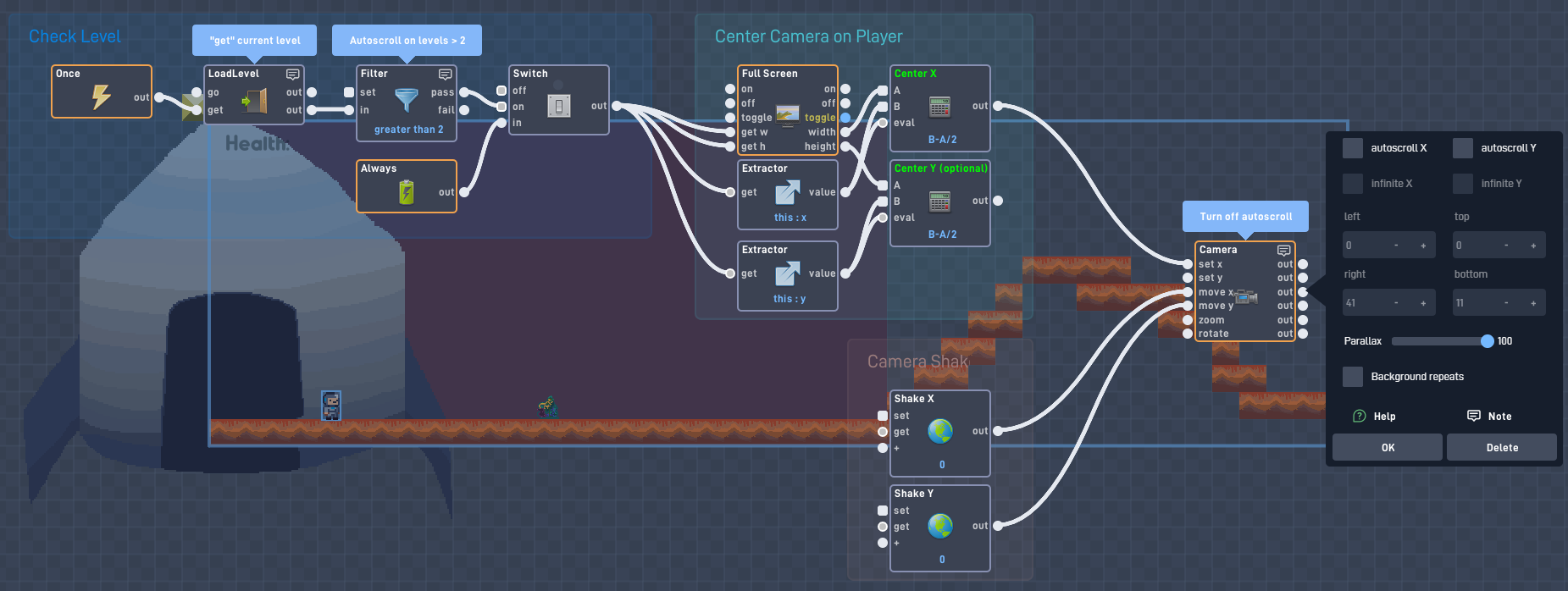
- Use my camera+ example (Advance). This system is nice to learn and good to use, but not great if you are short on time for like a school assignment. Camera+ Example - JR01